Quick Login Process
Pocketful offers a secure and efficient login process, simply follow the steps below to generate an access token and start interacting with the API's.
Steps to Generate an Access Token:
To begin, visit the Pocketful API Portal and log in with your Pocketful account credentials. If you don't yet have an account, you can register here.
1. Create an App:
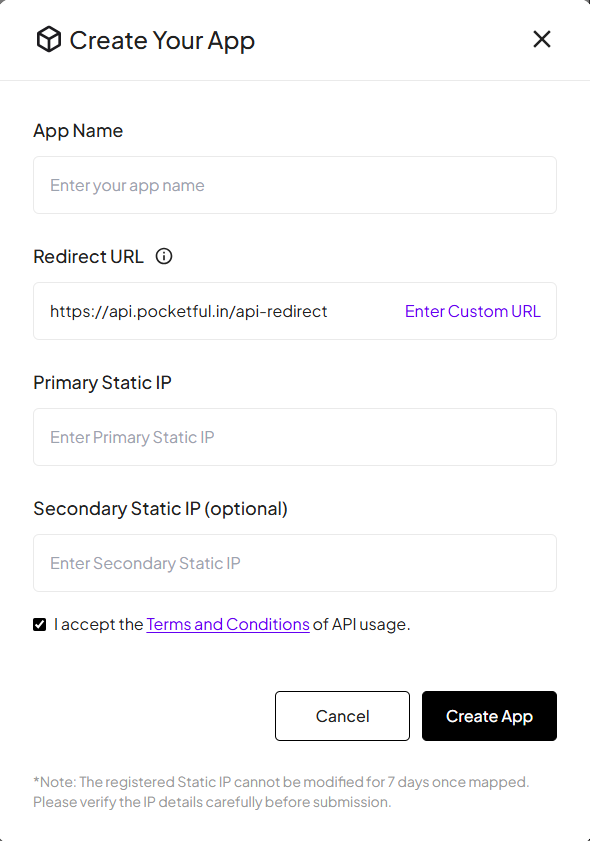
- Click the Create App button on your dashboard.
- Fill in the App Name and Redirect URL in the provided form. If you prefer an easier setup, use the default redirect URL to skip managing the login process and API calls yourself.
- Enter your Static IP to verify and secure API access from your server.
- Click Create App button, and your app will be successfully created.
-
Note:
-
The registered Static IP cannot be modified for 7 days once mapped. Please verify the IP details carefully before submission.
-
Secondary Static IP (Optional): Used as a backup IP for secure API access when the primary static IP is unavailable.
-
2. Authenticate the App:
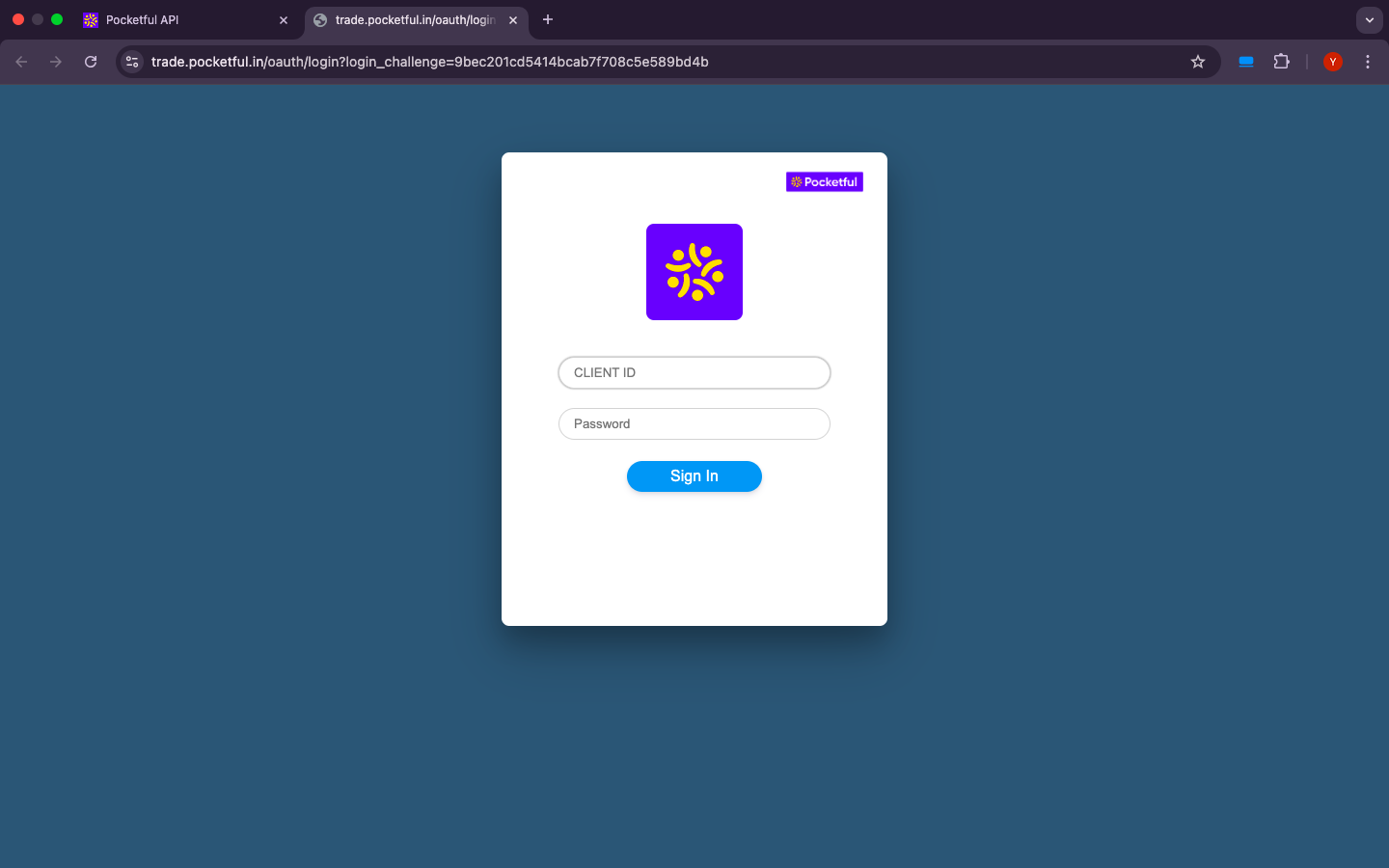
- In your newly created app, click the "Click here to generate" button.
- This will redirect you to the login page, where you'll need to enter your Pocketful account credentials for authentication.
3. Access Token Generation:
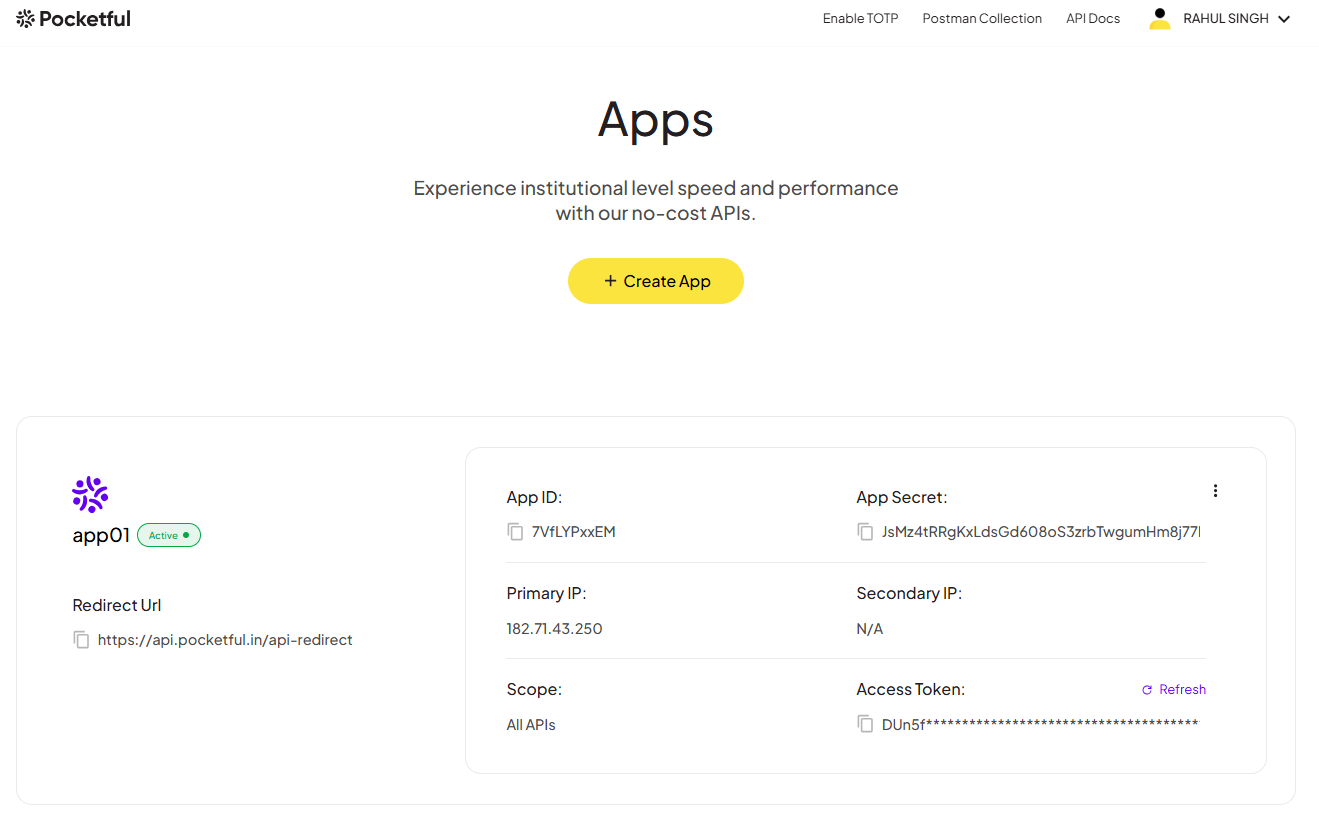
- After successful authentication, you will be redirected back to your app’s dashboard.
- On the dashboard, you’ll see your newly generated Access Token, which you can use to make secure API calls for trading and account-related operations.
Note:
Primary Static IP (Mandatory): Used to whitelist and authorize order placement requests from your server.
Secondary Static IP (Optional): Can be added as a backup IP for uninterrupted API access.
Static IP Updates: Static IPs can be modified only once per week.
Default Redirect URL: If you use Pocketful’s default redirect URL, access tokens can be generated directly using the Refresh button.
Custom Redirect URL: If you use a custom redirect URL, authentication must be handled on your server using OAuth 2.0 APIs.
Access Token Validity: Access tokens remain valid until 12:00 AM (midnight) and must be regenerated after expiration.
Base URL for API Calls
All API requests will be using the following base URL
Base URL: https://algo.pocketful.in
With your access token in hand, you now have full access to Pocketful API. Whether you're executing trades or querying your account details, you can refer to our detailed documentation for a step-by-step guide.